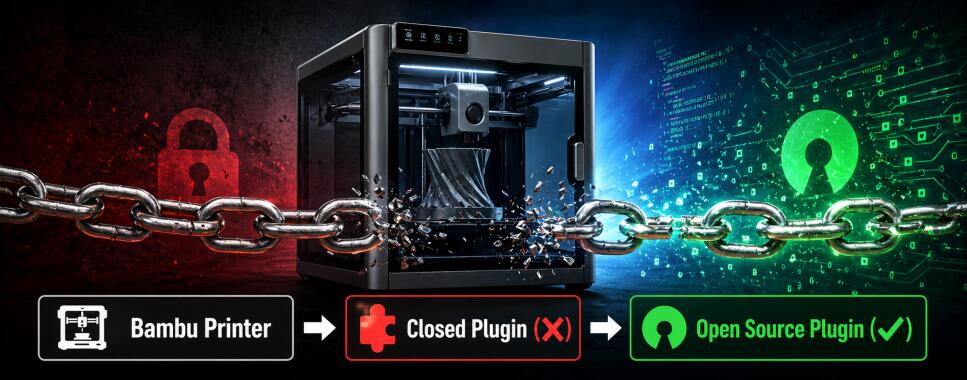
If you own a Bambu Lab 3D printer, you’ve likely encountered the frustration of dealing with closed-source software. At the heart of the communication between your computer and your printer is a library called bambu_networking, used by both Bambu Studio and OrcaSlicer. This isn't just a simple black box, it utilizes sophisticated hiding technology that makes it nearly impossible, even for professionals, to inspect or monitor its actual behavior.
The reality of this proprietary library is troubling. A simple Network Analyses show that the library "phones home", sending network traffic to Bambu Lab servers even when the printer is explicitly set to LAN or offline mode. Beyond this, there is a complete lack of transparency regarding what usage data is being collected and how it is handled and sent within these phone calls. This creates a vendor lock-in, where you are forced to rely on proprietary software for basic functionality, that can be turned off at a random time. Bambu Labs Terms Of Use explicitly tell this: "Due to the importance of these updates, your product may block new print job before the updates is installed", so if you do not install an update your printer might not work anymore. If that update contains problematic function, you have a very heavy paper weight. For privacy-conscious (or effectivly any) makers, this is an unacceptable trade-off: enjoying high-quality hardware at the cost of software freedom and total transparency and remote brickability.
My Solution: An Open-Source Networking Library
To address these issues, I've developed bambu_replacement_lib. This is a (hopefully) community-driven, open-source replacement for Bambu Lab's proprietary bambu_networking library, aiming to provide a drop-in alternative that gives you full visibility and control over how your printer communicates.
The current version of the library focuses on complete API compatibility by matching the original library's exported functions ABI. It is built using modern C++, utilizing nlohmann/json for JSON handling and mosquitto for MQTT, and it includes built-in OpenSSL support to ensure encrypted MQTT and FTPS connections to the printer. Because it is licensed under GPL-3.0, all source code is fully open for inspection and contributions are welcome.
How It Works
The library implements the same C-styled (but C++) exported functions that the original bambu_networking provides, allowing it to be loaded directly by Bambu Studio or OrcaSlicer in place of the proprietary version.
The library implements several mandatory functions. For discovery, it provides the mechanism to find printers on your network via SSDP. It also implements the secure MQTT connections required for printer connection and handles the sending of print commands and settings for message handling. Additionally, the library supports sending print jobs to printer storage via FTPS, handles the printer's CA certificate for secure connections, and enables managing multiple printers simultaneously.
The technical implementation is built with standard, auditable dependencies: C++17+ for modern, safe coding practices; OpenSSL for TLS 1.2+ encrypted connections; libmosquitto/mosquittopp for MQTT protocol handling; nlohmann/json for JSON message parsing; and libcurl for HTTPS communications where needed, all using CMake for cross-platform builds. The core logic resides in Agent.cpp and MqttHandler.cpp, which implement the SSDP-based printer discovery on the local network, secure MQTT connection setup, message queuing and response handling, print job initiation and monitoring, filament management (AMS) controls, and custom G-code command execution.
Why This Matters for Your Privacy
Using an open-source replacement eliminates the mystery surrounding network traffic. You can inspect exactly what data is sent to and received from your printer, which allows you to verify that no unexpected phone-home behavior occurs. It also makes it possible to audit the encryption used for all communications and confirm that no telemetry is being transmitted.
This shift in control means you are no longer at the mercy of Bambu Lab's Terms of Service or their specific feature decisions. Instead, you can add custom features that fit your own workflow, fix bugs without waiting for upstream patches, and integrate the printer with other systems like Home Assistant or OctoPrint. It also allows for the customization of communication to meet specific needs.
This level of transparency is what builds actual trust. Security researchers can validate the implementation, and privacy advocates can confirm that there is no data collection. Furthermore, it turns the software into a teaching tool for IoT protocols and allows enterprises to meet compliance requirements for auditable software.
Current Status: Works on My Machine (and Printer)
The library is currently in "WORK IN PROGRESS" status but already functional. It compiles and links correctly on linux, windows and Mac should work, but not tested. It establishes connections to printers, discovers printers on local networks, sends and receives printer commands, handles print job submission, and supports AMS (Automatic Material System) filament management. This has been tested with a Bambu Lab P1S on firmware 1.08.02 running on Ubuntu 24.04 LTS. It most likely works on others as well, but I could not get OrcaSlicer to build on newer/other systems.
There are limitations to be aware of. The library requires a patched version of OrcaSlicer (or Bambu Studio) that disables integrity checks on the loaded networking library. Some features are still stubbed and return placeholder values, such as cloud downloads. Comprehensive testing across different printer models is open; currently, "it works for me."
How to Get Started
Prerequisites
You'll need:
- A Bambu Lab printer (tested with P1S, should work with X1 Carbon series, A1, possible the newer H2 models)
Should you not own a Bambu Lab printer yet, do not buy one! - Ubuntu 22.04+ or similar Linux distribution
- Basic development tools (CMake, GCC)
- Patched slicer software (OrcaSlicer with integrity checks disabled and custom module loader)
Dependencies
bash
sudo apt-get install cmake build-essential libssl-dev libcurl4-openssl-dev \
libmosquitto-dev libmosquittopp-dev nlohmann-json3-dev libgtest-dev
git clone https://git.contentnation.net/grumpydevelop/bambu_network_oss.git
cd bambu_replacement_lib
mkdir build && cd build
cmake ..
make
Using with Your Slicer
Apply the patch "orcaslicer.diff" in the project root to the current OrcaSlicer code.
Launch your patched slicer with
BBL_NETWORK_PLUGIN_PATH=<path to compiled libbambu_networking_oss.so> orca-slicer
enjoy transparent printer communication!
Join the Movement
This project lives or dies by community involvement. Whether you are a C++ developer, a privacy advocate, or simply someone who believes their hardware should respect their software freedom, there are several ways to contribute. You can help implement stubbed functions or add new features through code contributions, report success or failure with different printer models and firmware via testing, or create guides and translations for the documentation. Feedback on privacy concerns and feature needs is also welcome, as is simply spreading the word about open-source alternatives in 3D printing.
Note: A patch for Orca slicer is at orcaslicer.diff. See the OrcaSlicer issue #12896 for integrating this, hopefully this happens soon.